File management on a Mac has always been painful. We built a better one.
Mac Explorer is a fast, keyboard-first file manager with instant search, real folder sizes, a disk map that tells the truth, and a CLI your AI agent can use.
- As you typename search from its own index
- Every foldersized and sortable, instantly
- Whole Macdisk map, clones counted once
- Read-onlySQL and CLI for your agent
Every file. Before you finish typing.
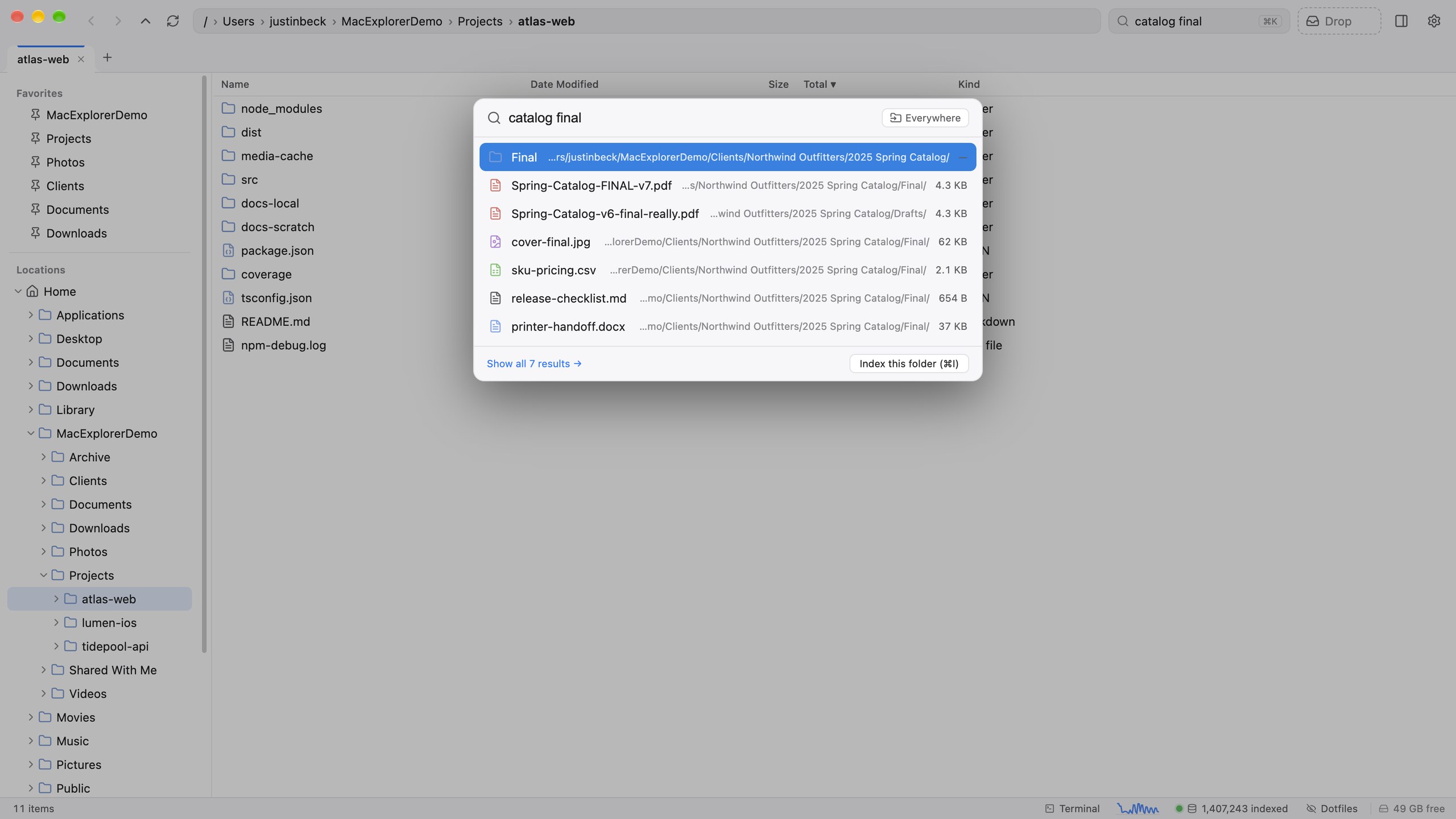
Press ⌘K and results arrive as you type, ranked from Mac Explorer’s own index of the folders you choose. The file you meant comes first, and node_modules never buries it.
- Name prefix matches rank first; every word has to match
- Build output and dependencies stay out of results, but their sizes still count
- Gitignored media and data are searchable, just ranked lower
- ⌘↩ opens every hit as a results tab with live previews
vs FinderFinder’s search goes through Spotlight, which ranks file names loosely and skips developer folders.
See what’s big. Without waiting.
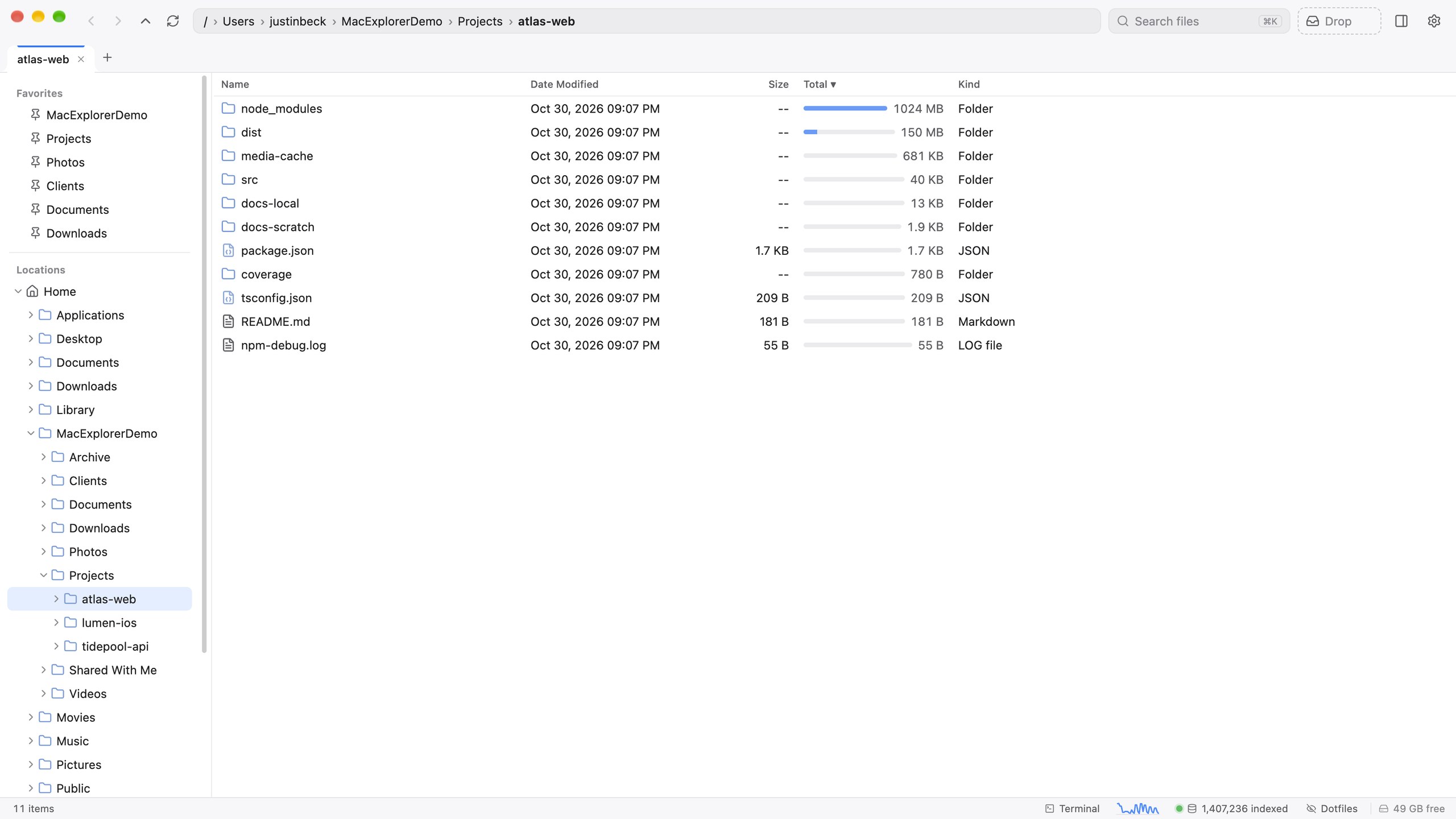
The Total column shows every folder’s real recursive size with an inline bar, straight from the index. Click the header and the space hogs rise to the top. It updates live as files change.
- Sortable, with proportional size bars
- Counts node_modules, .git and build folders at their true weight
- No “Calculate all sizes” spinner
vs FinderIn Finder, “Calculate all sizes” is off by default, slow, and has no bars.
Where did my disk go? Now you know.
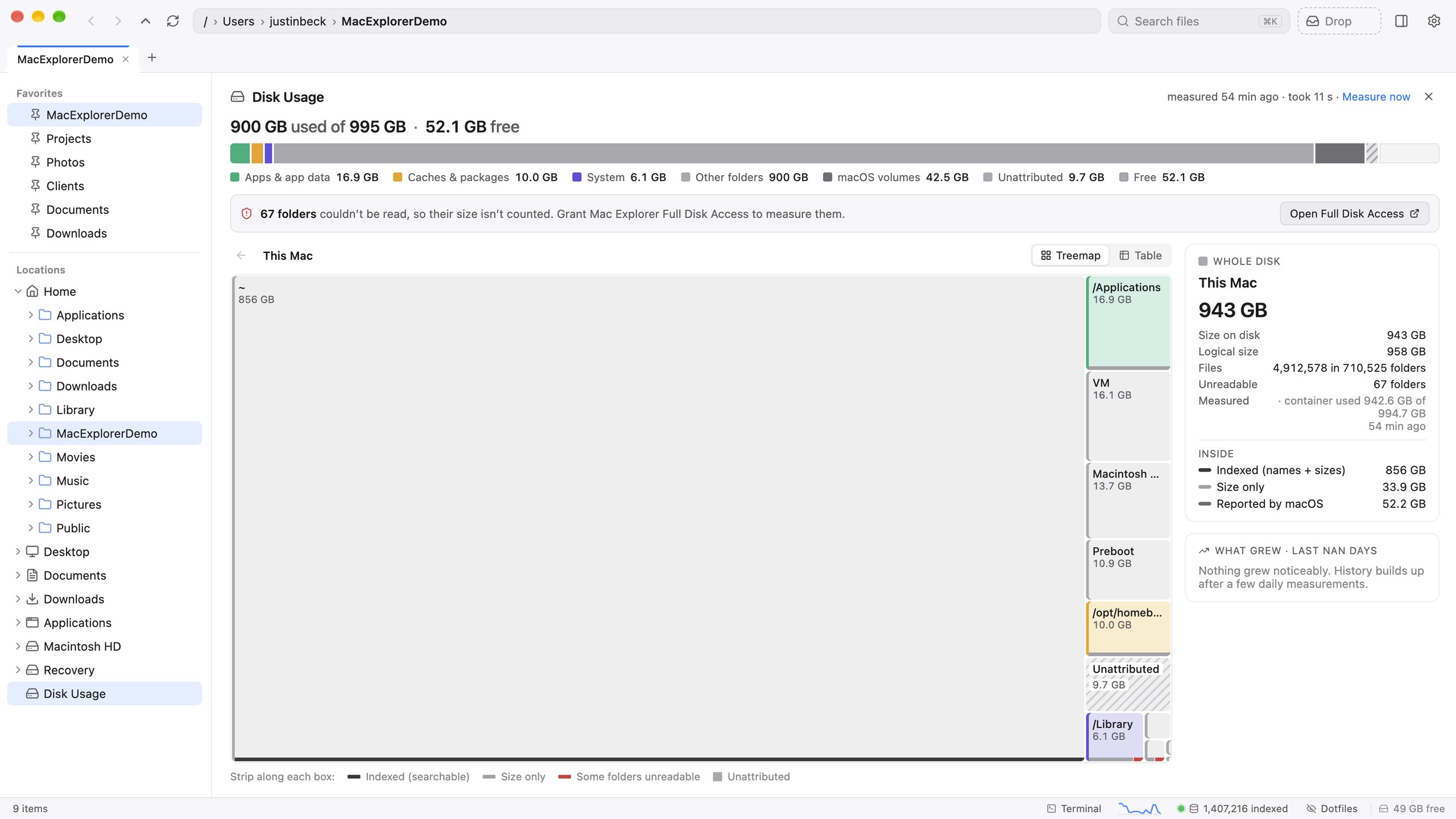
A treemap of your whole Mac: every area, the macOS volumes and the “Unattributed” space (local snapshots, purgeable, unreadable folders), adding up to exactly what the disk reports. APFS clones and hard links are counted once.
- Clone-aware sizes: what deleting something would actually free
- What grew in the last 7 days
- Read-only by design, and safe to explore
- Full keyboard navigation and VoiceOver support
vs FindermacOS Storage settings give you coarse categories and a big grey “System Data”.
Your Mac, queryable.
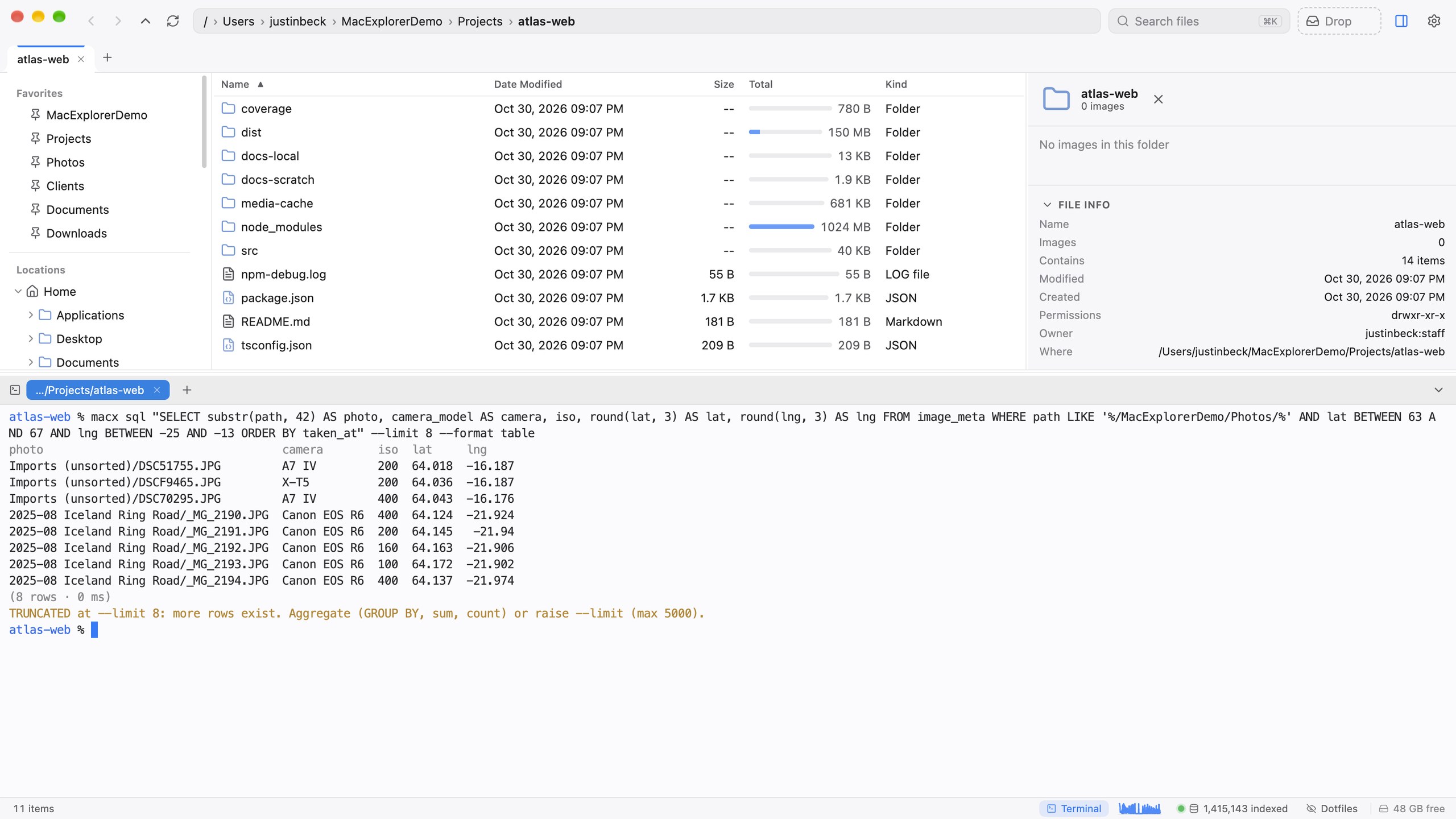
The macx CLI and a local API put the index behind read-only SQL: sizes, duplicates, photo EXIF and GPS, what changed and when. One query instead of ten thousand find calls.
- Read-only: nothing in it can move, rename or delete
- Secret files (.env, keys, .ssh) are never readable through it
- One JSON envelope and typed exit codes
- A self-documenting manual any agent can read
vs FinderFinder has no scripting surface for questions like “which photos did I take in Iceland?”
Any path. Any app. One keystroke.
Press ⌃⌥⌘Space from any app, paste a path and press ↩. Escaped, quoted, ~ and file:// paths all work as pasted. In the app, ⇧⌘T pre-fills from the clipboard, and ⌘L offers to create folders that don’t exist yet.
- Paste paths straight from Terminal or Slack
- ⌘G jumps to the copied path with no box at all
- Optional: every app’s “Reveal in Finder” opens here
vs FinderFinder’s Go to Folder (⇧⌘G) only works inside Finder.
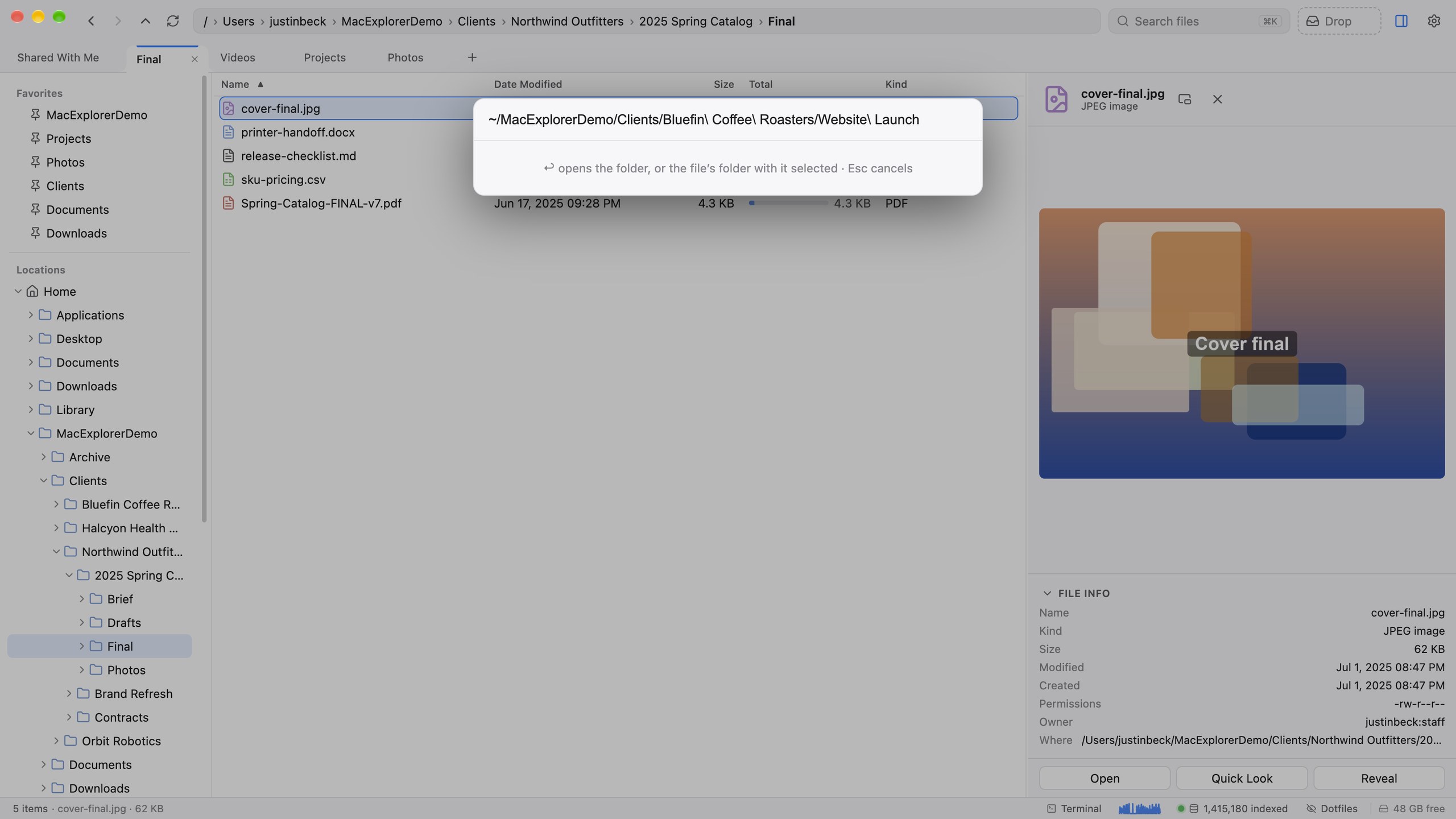
Preview it. Edit it. Stay in the window.
A preview pane that does real work. Images (including HEIC), video with seeking, PDF, Word, Excel and Markdown. With nothing selected it becomes a gallery of every image in the folder. Markdown folds, finds and edits in place. CSVs open as a typed, sortable database.
- Camera, lens, exposure and GPS for photos
- Edit Markdown in place and save with ⌘S
- A floating image viewer that steps through the folder
vs FinderFinder’s preview pane can’t edit, can’t page through a folder of photos, and shows Markdown as plain text.
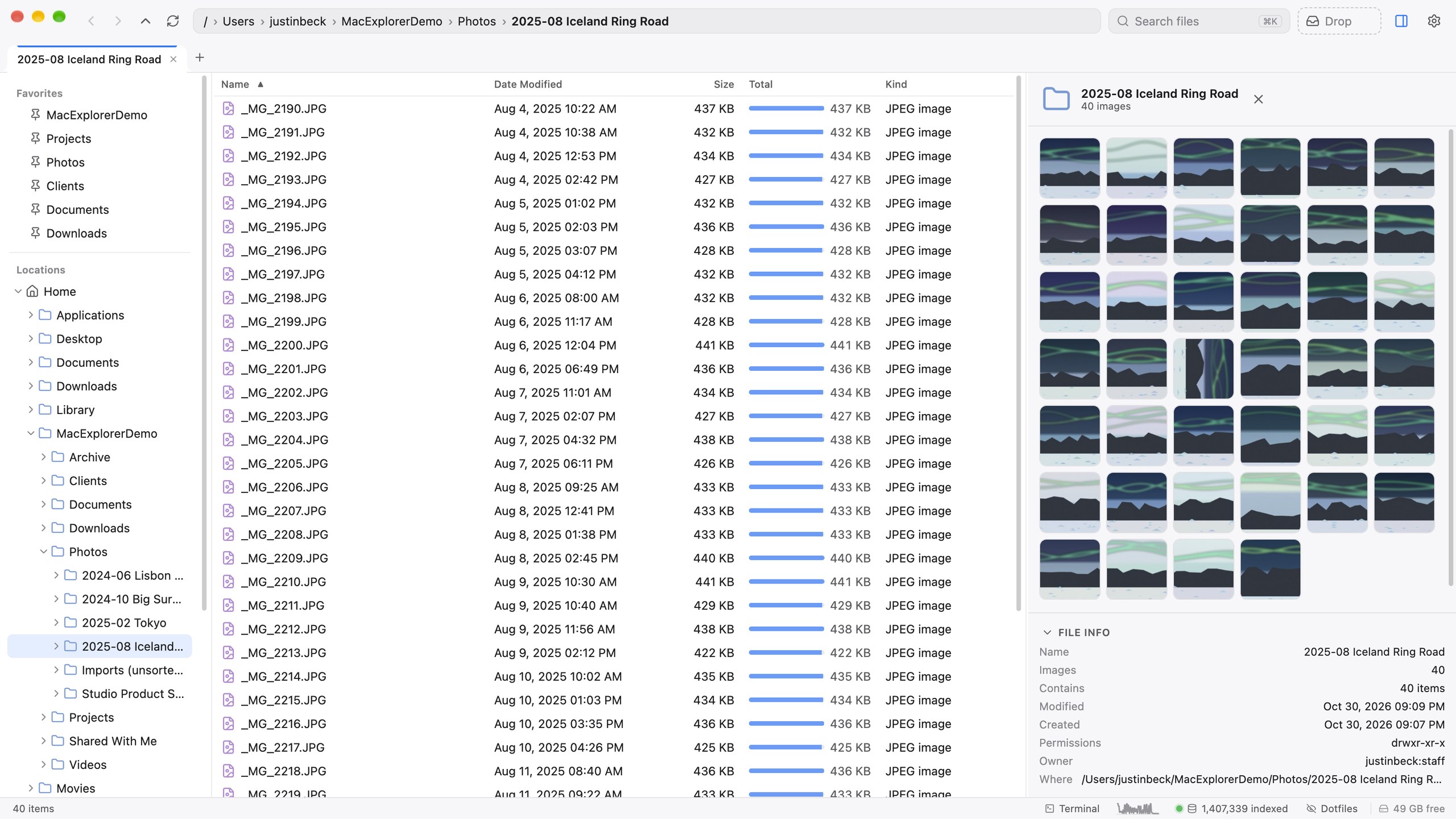
Your terminal, already in the right folder.
⌃` slides a real login shell up from the bottom, already in the folder you’re looking at. Tab titles follow cd, ⌃⇧` adds tabs, and shells keep running when the drawer is hidden.
- Your own shell and PATH
- Up to 16 tabs, reorderable
- GPU rendering, truecolor, clickable links
vs FinderFinder can only hand you off to Terminal.app through a Service.
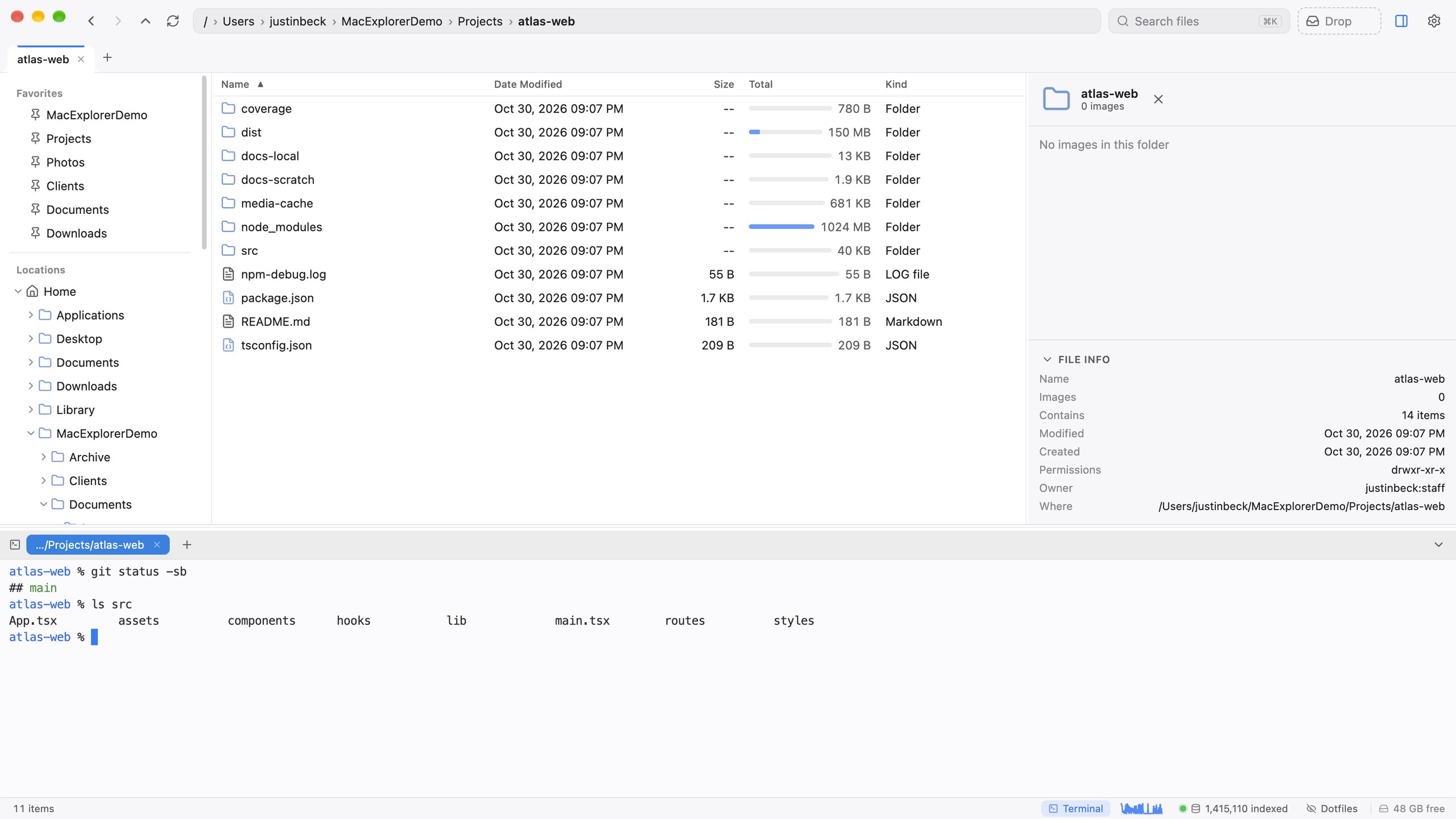
Gather from everywhere. Drop anywhere.
A plain drag exports the real files to Finder, Mail, Gmail, Slack or any other app. The Drop shelf collects files from many folders so you can drag them all out at once, and it’s shared with the menubar panel.
- Stages references, so nothing is moved until you drop
- Spring-loaded folders while dragging
- Share anything on the shelf with one right-click
vs FinderFinder has no shelf for collecting files across folders.
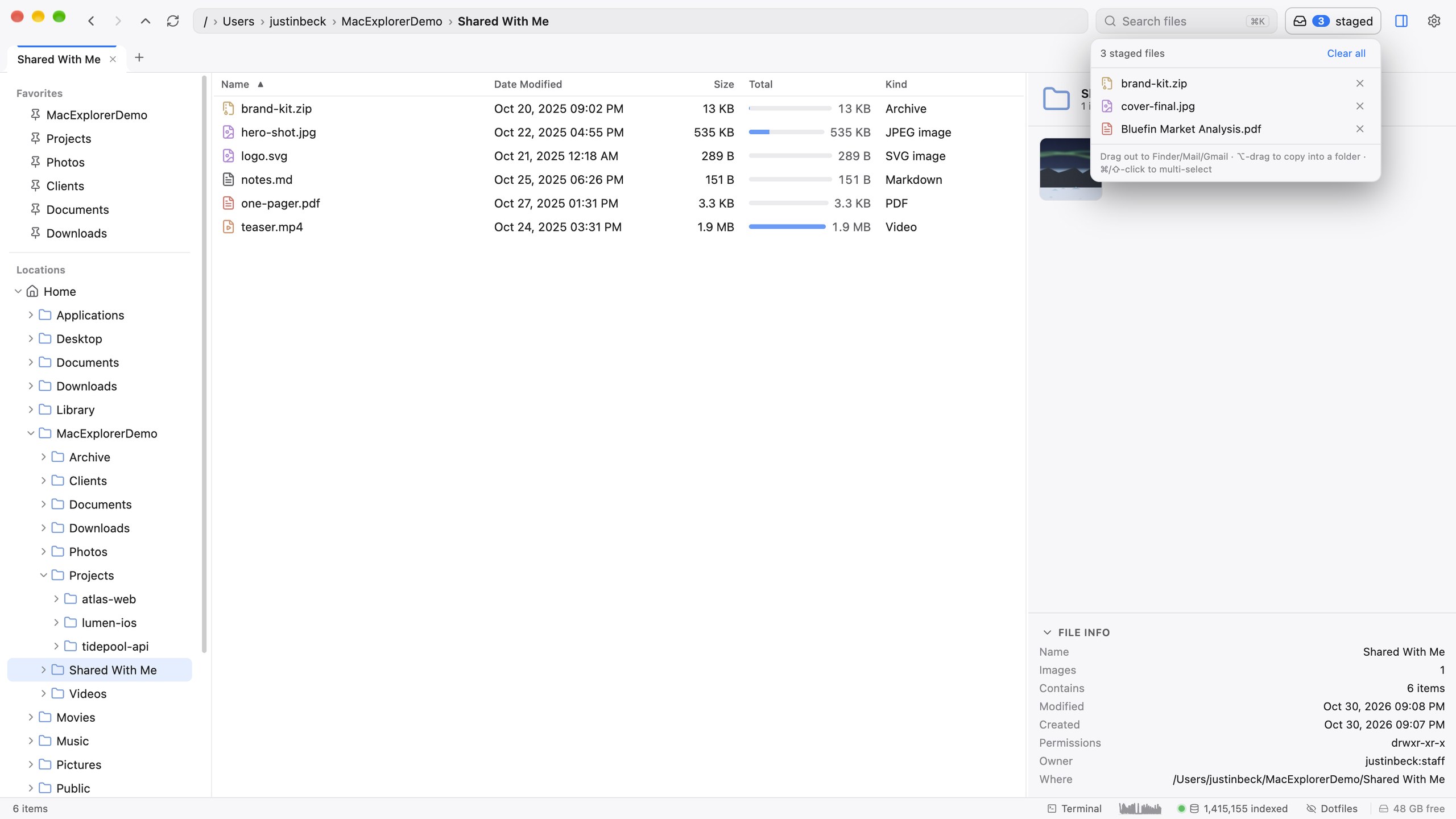
Your hands never leave the keys.
Finder muscle memory still works: ↩ renames, Space is Quick Look, ⌘⌫ moves to the Trash. Everything else is one chord away.
The details Finder never got around to.
Encrypted sharing
Right-click ▸ Share via croc: an end-to-end encrypted transfer code, any size, no account. Or share as a link.
File operations that queue
Copies and moves run as jobs you can pause, reorder and cancel. Name conflicts wait for you without blocking anything else.
Undo that covers copies
A 50-step journal undoes and redoes copies, moves, renames, compress and extract.
Real tabs, restored
Folder tabs and search-result tabs, dragged between windows, all back on relaunch with their history.
Cloud & network remotes
SFTP, S3, SMB, WebDAV, B2, Google Drive, Dropbox, OneDrive and Box in the same tree, via rclone.
An index you can watch
A CPU sparkline for the indexer. Background work waits while your Mac is busy or on battery.
Command palette
Press ⌘⇧P to find every command by name, with its shortcut beside it.
Replace Finder, keep the exit
Make Mac Explorer the target of every app’s “Reveal in Finder”, and undo it with one command.

Install Mac Explorer
Paste this into Terminal. macOS on Apple Silicon or Intel.
curl -fsSL "https://explore.brightmotion.io/install.sh" | bash- Checks you’re on macOS and detects your chip
- Installs Bun if it’s missing (it powers search and indexing)
- Copies the app to /Applications, adds the
macxCLI and the Finder Quick Action - Clears quarantine and ad-hoc signs the app, then opens it
Re-run the same command to update. Install guide
Questions
Does it replace Finder?
macx defaults restore.What does search cover?
Does it use Spotlight?
Does it send my files or file names anywhere?
Is it safe to let an AI agent use macx?
.env, private keys and ~/.ssh can’t be read through them.Which Macs does it run on?
Why does the installer sign the app itself?
What isn’t there yet?
How do I update or uninstall?
macx update, or re-run the install command. Uninstalling is the same command with --uninstall, and your data is kept.