
Guides
Terminal drawer
A real login shell that slides up from the bottom of the window, already in the folder you’re looking at.
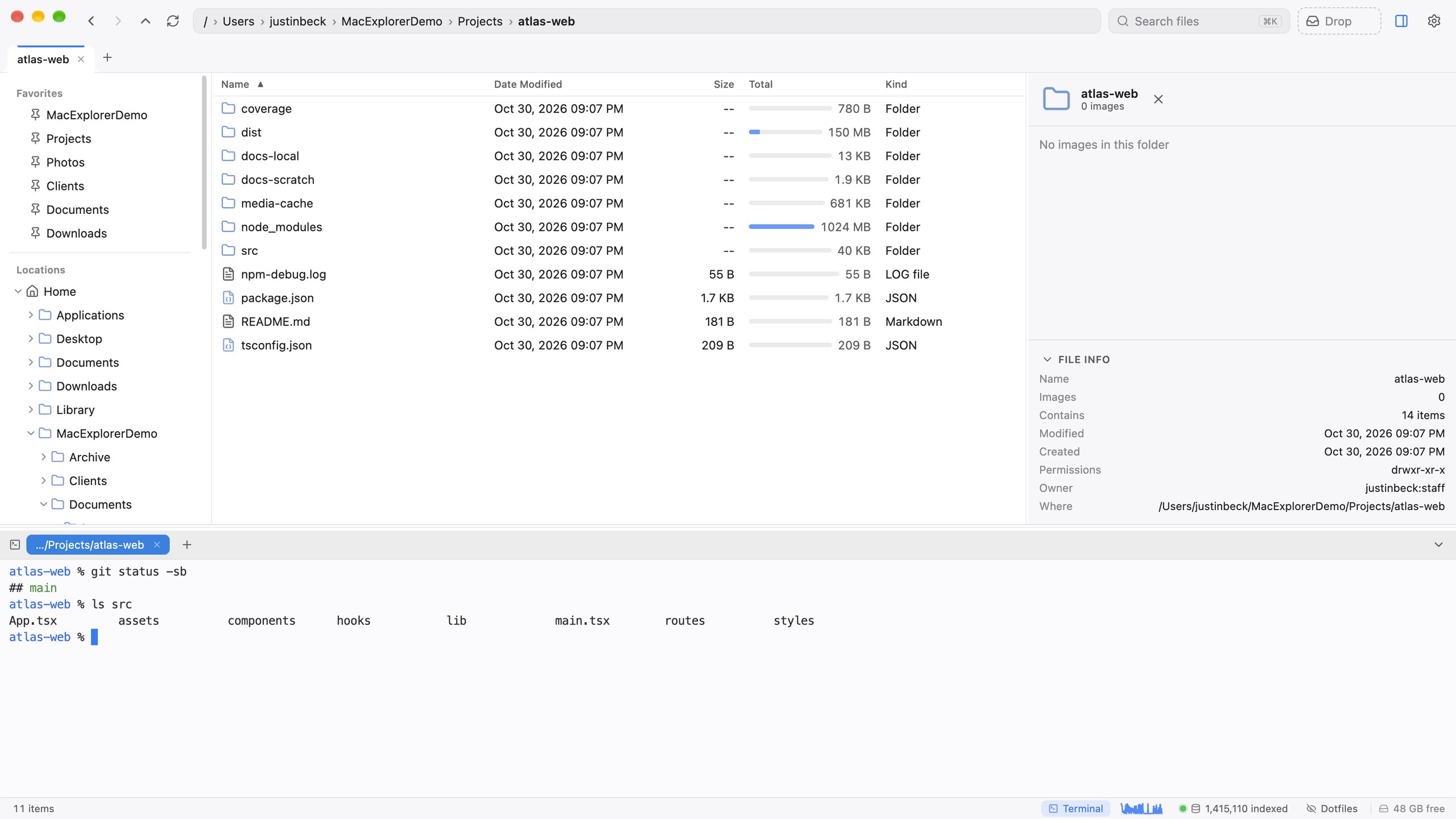
Opening the drawer
| Keys | Action |
|---|---|
| ⌃` | Show or hide the drawer. Works from inside the terminal too. |
| ⌃⇧` | New terminal tab in the current folder |
You can also right-click a folder or the list background ▸ Open Terminal Here, click the Terminal chip in the status bar, or use the command palette.
What you get
- Your shell: a real login shell with your PATH, aliases and prompt.
- Starts where you are: new tabs open in the folder you’re looking at.
- Tab titles follow
cd, so you can tell your tabs apart. - Up to 16 tabs, which you can drag to reorder.
- Shells keep running when the drawer is hidden. Hide it, browse elsewhere, bring it back, and your build is still going.
- Resizable: drag the top edge. The height is remembered.
- GPU rendering, truecolor, clickable links, and colours that follow the app’s light or dark theme.