Guides
Settings
Everything in ⌘, at a glance.
Open Settings with ⌘,. The app version and build appear at the bottom of the Settings sidebar on every page. Include them when you report a problem.
Keyboard Shortcuts
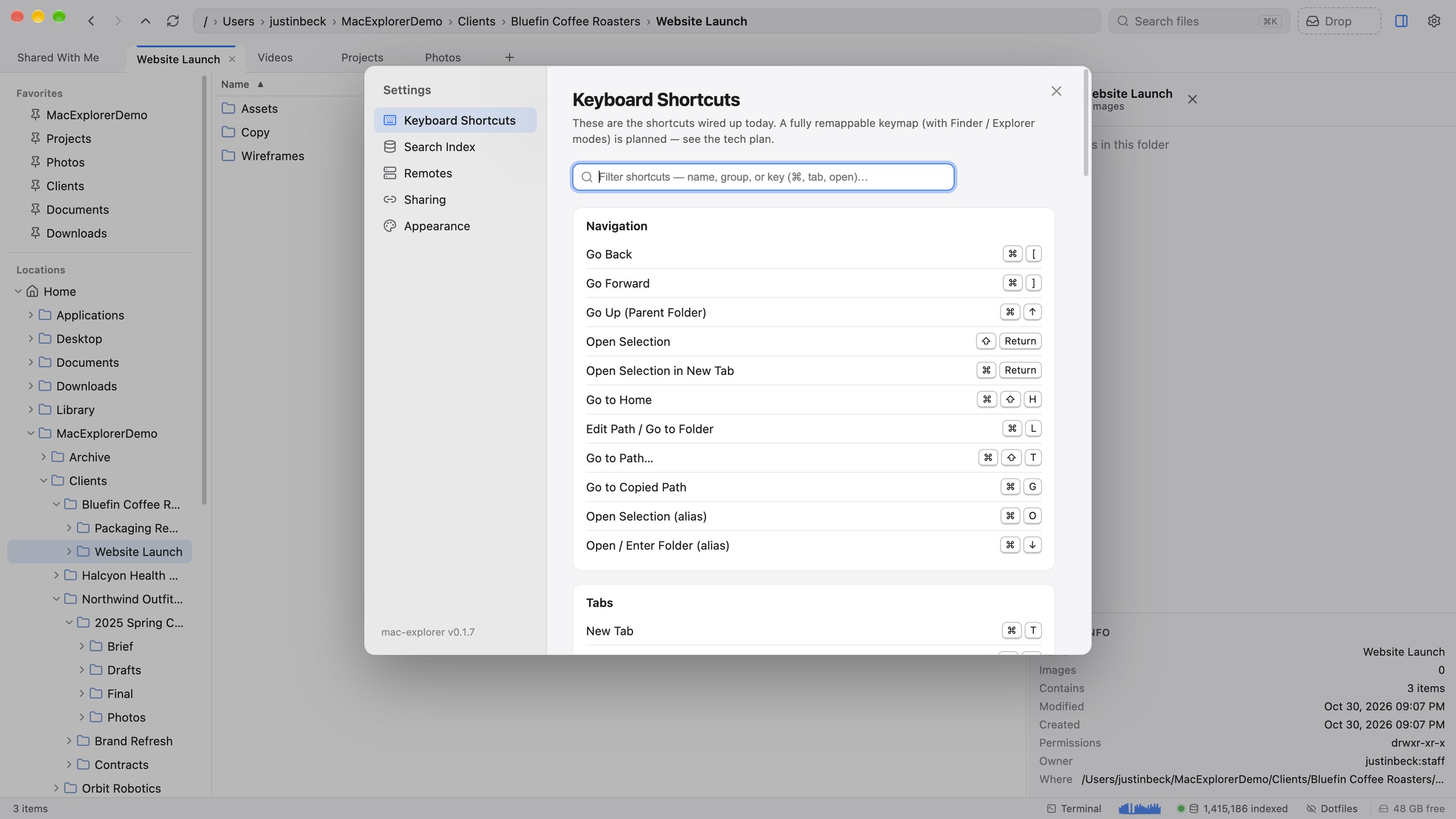
A searchable list of every command and its keys. Commands without a key say unset (you can still run them from the command palette). The full reference, including keys this list leaves out, is on the Keyboard shortcuts page.
Search Index
What the index is doing and what’s in it: status, counts, indexed locations, image analysis, cache sizes, the activity log and diagnostics. See Search Index settings.
Remotes
Install rclone and add cloud or network remotes. See Cloud & network remotes.
Sharing
The Server URL and Upload token for Share as Link.
Appearance
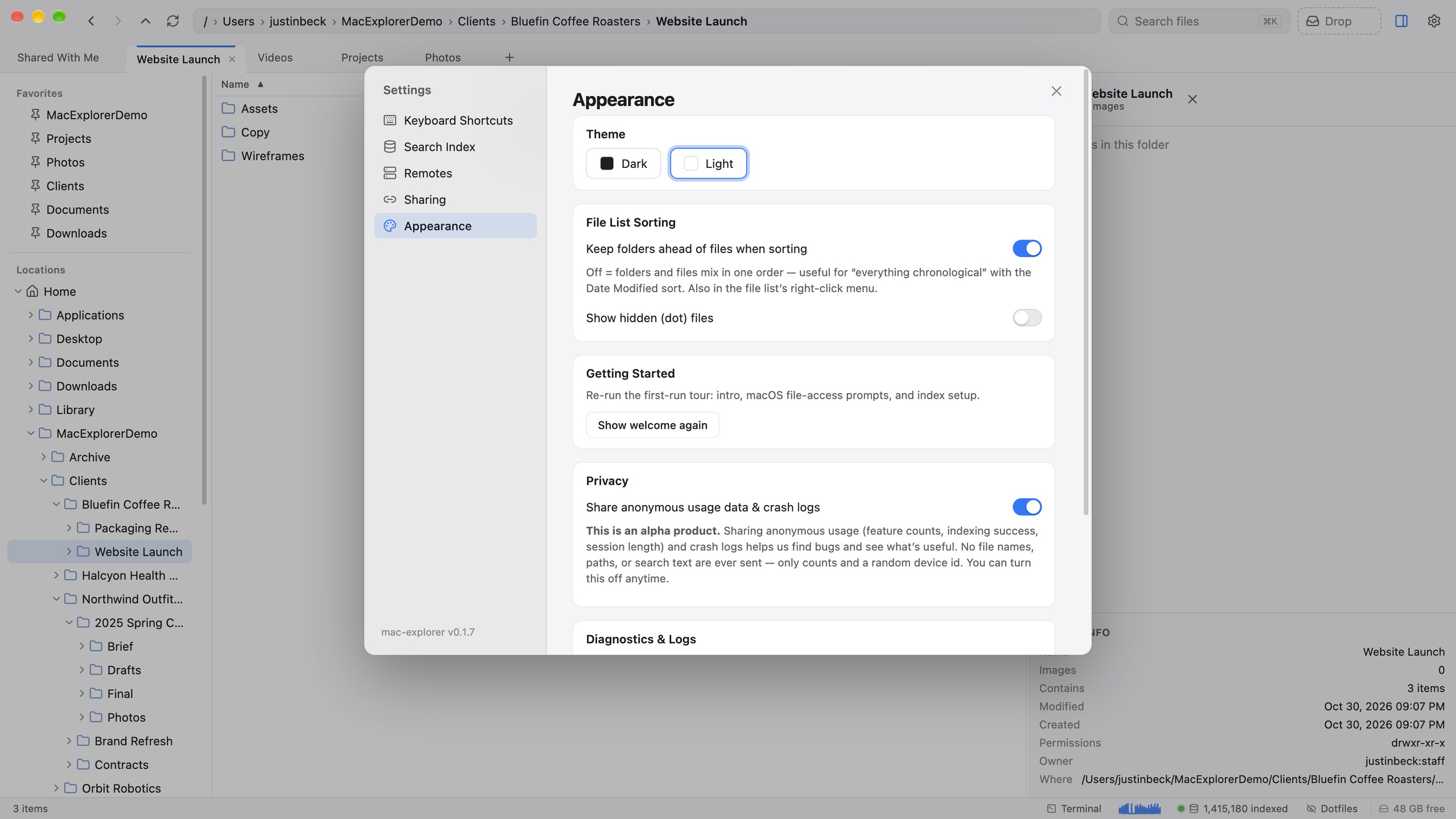
| Setting | What it does |
|---|---|
| Theme | Dark or light (also ⌘⌥T) |
| Keep folders ahead of files | Folders stay at the top when sorting |
| Show hidden files | Show dotfiles (also ⌘⇧.) |
| Show welcome again | Replay the first-run welcome flow |
| Share anonymous usage data & crash logs | On by default. See Privacy & telemetry |
| Diagnostics & Logs | Send report and Reveal log |